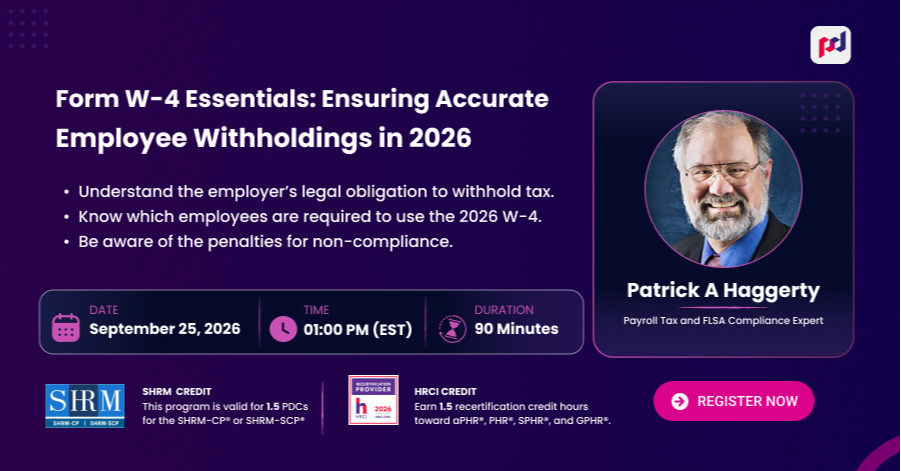
Form W-4 Essentials: Ensuring Accurate Employee Withholdings in 2026
"Not able to attend the live webinar? Purchase the recorded session and watch it at your convenience"
"The recording is added to your account within 24 hours of the live session, and we will email you when it is ready."
Webinar Overview
Webinar Description
The Employee Withholding Certificate, commonly known as the Form W-4, is an IRS form used by an employer to withhold the correct federal income tax from an employee’s pay.
Starting in 2020 the W-4 differed significantly from the prior versions of the form. Prior to 2020 Form W-4 used withholding allowances to determine the amount of tax to withhold from employee wages. W-4 Forms issued for years after 2019 focus on the employee’s expected tax situation for the year. The forms feature adjustments for multiple jobs, expected tax credits, such as the child and dependent credits, nonwage income, and various deductions, including those enacted under the OBBBA such as qualified tips and qualified overtime.
A W-4 remains in effect until the employee submits a new form to the employer. Where older W-4s remain in effect, an employer may be faced with using different computation procedures to compute withholding for the older Forms.
IRS Publication 15-T, Federal Income Tax Withholding Methods, provides tax tables and worksheets to accommodate tax computations for both prior to 2020 W-4 Forms and 2020 and later W-4 Forms.
In this practical webinar, you will learn how employees can use the income tax withholding assistant in completing a valid Form W-4 and how the Publication 15-T tables and the IRS Income Tax Withholding Assistant for Employers are used to compute withholding using either the 2020 or later W-4 Form information or the information from prior year W-4 Forms that are still in effect.
Learning Objectives:
- Understand the employer’s legal obligation to withhold tax.
- Know which employees are required to use the 2026 W-4.
- Know how to calculate withholding using both the current W-4 version and prior year W-4 Form
- Know how to use the IRS Income Tax Withholding Assistant for Employers
- Know what must or must not be included on each line of Form W-4 and how to identify invalid Forms.
- Know how to deal with special problems and situations related to Form W-4 such as non-resident alien forms, lock in letters, and invalid and questionable employee submissions.
- Be aware of the penalties for non-compliance.
- Know the record retention requirements.
Why Attend
The current Form W-4 does not use withholding allowances, so the method for computing withholding is different from versions prior to 2020. Existing employees who do not want to change their withholding amount may leave prior Forms W-4 – Withholding Allowance Certificate in effect indefinitely. Payroll professionals will have to know how use both withholding calculation methods.
Areas Covered
- The legal requirement that the employer withhold income tax from employee compensation.
- Information provided on a 2020 or later W-4 and how it is used.
- 2026 Form W-4 line by line
- Worksheets for employees including adjustments for the new OBBBA deductions.
- How to compute withholding for the current year and any prior year W-4 Forms still in effect.
- How to use the Income Tax Withholding Assistant for Employers to facilitate manual computations.
- How to use the withholding tables. Example computations.
- The special instructions for non-resident aliens.
- State withholding certificates.
- When employees are required to revise W-4 Forms.
- Requirements for electronic W-4 Forms.
- Penalties for failing to withhold or deposit tax and reporting errors.
- Record retention requirements – how long must an employer keep the forms.
Target Audience
- Payroll Professionals and Payroll Service Providers
- Tax Compliance Officers, Auditors, and Compliance Personnel
- Enrolled Agents and Public Accountants
- Employee Benefits Administrators
- Officers and Managers with Payroll or Tax Compliance Oversight
- Company / Business Owners
- Managers/ Supervisors
- Public Agency Managers
Ask your question directly from our expert during the Q&A session following the live event.
Enrolled attendees earn CE credit for this course
-
SHRM - 1.5 Credit
This program is recognized by SHRM to offer Professional Development Credits (PDCs) for SHRM-CP® and SHRM-SCP® credential holders. This program is valid for 1.5 PDCs toward SHRM recertification requirements.
-
HRCI - 1.5 Credit
This program has been approved for 1.5 HR (General) recertification credit hours toward aPHR™, aPHRi™, PHR®, PHRca®, SPHR®, GPHR®, PHRi™, and SPHRi™ recertification through the HR Certification Institute® (HRCI®).
-
Content Quality and Compliance
“The courses, webinars, articles, and learning materials available on this educational platform are developed in accordance with the standards and guidelines of recognized professional credit and continuing education (CEU) providers. All content is thoroughly researched, reviewed, and verified prior to publication.”
Meet Your Instructor

Patrick A Haggerty, EA
Payroll Tax and FLSA Compliance Expert
Patrick Haggerty is a tax practitioner, author, and educator. His work experience includes non-profit organization management, banking, manufacturing accounting, and tax practice. He began teaching accounting at the college level in 1988.
He is licensed as an Enrolled Agent by the U. S. Treasury to represent taxpayers at all administrative levels of the IRS and is a Certified Management Accountant. He has written numerous articles and a monthly question and answer column for payroll publications. In addition, he regularly develops and presents webinars and presentations on a variety of topics including Payroll tax issues, FLSA compliance, and information return reporting.
Frequently Asked Questions
Sign up now on pedu.online to discover a wide range of webinars from industry specialists. Choose your preferred access type (‘Live Only’, ‘Live + Recorded Session’, or ‘Recorded Session Only’), and simply click on ‘Buy Now’ to get enrolled.
Yes. Eligible sessions are approved for SHRM PDCs and HRCI recertification credits. After you attend live (or finish the Recorded Session), we automatically email your certificate with the activity ID you can enter directly into your SHRM or HRCI portal.
After checkout, you will receive an instant confirmation along with a calendar invite. The actual join link will be emailed to your registered email address 24 hours before, and again 1 hour before the webinar begins.
Don’t worry! If you choose the “Live + Recorded Session” or “Recorded Session only” access option during checkout, the recording will land in your inbox automatically after the session concludes. It is saved in our cloud storage so you can watch it as many times as you want, anytime, from anywhere.
Yes. You can explore your industry with your colleagues. The 5–10 and 11+ team options cover a group on a single purchase, and everyone who attends can receive their own certificate.
Live-only access doesn’t include the replay. However, “Live + Recorded Session” and “Recorded Session only” do include unlimited cloud viewing. You can also add a downloadable MP4 video to keep forever at checkout. We offer soft-copy transcripts (comprehensive word-for-word documents) that can be bundled with your order so you never miss a detail.
Yes! At the end of each live webinar, we host a real-time Q&A session where you have the opportunity to interact with our industry experts and get answers to your specific queries.
Receive a 100% refund on any upcoming webinar if you cancel at least 48 hours before the scheduled start time.
Pack Of 5 Webinars
$599
/ 12 months- Attend any 5 live, recorded Session, or a mix of both
- 12-Month validity.
- Live webinar access
- Recorded Session
- SHRM & HRCI credit on every session
- Single-user license
Annual Unlimited Access Pass
MOST POPULAR$999
/ 12 months- Attend unlimited live, recorded Session, or a mix of both
- 12-Month validity.
- Live webinar access
- Recorded Session
- SHRM & HRCI credit on every session
- Single-user license
Pack Of 10 Webinars
$799
/ 12 months- Attend any 10 live, recorded Session, or a mix of both
- 12-Month validity.
- Live webinar access
- Recorded Session
- SHRM & HRCI credit on every session
- Single-user license
Upcoming Webinars
Explore live and Recorded Session sessions presented by top industry experts.
Form W-4 Essentials: Ensuring Accurate Employee Withholdings in 2026
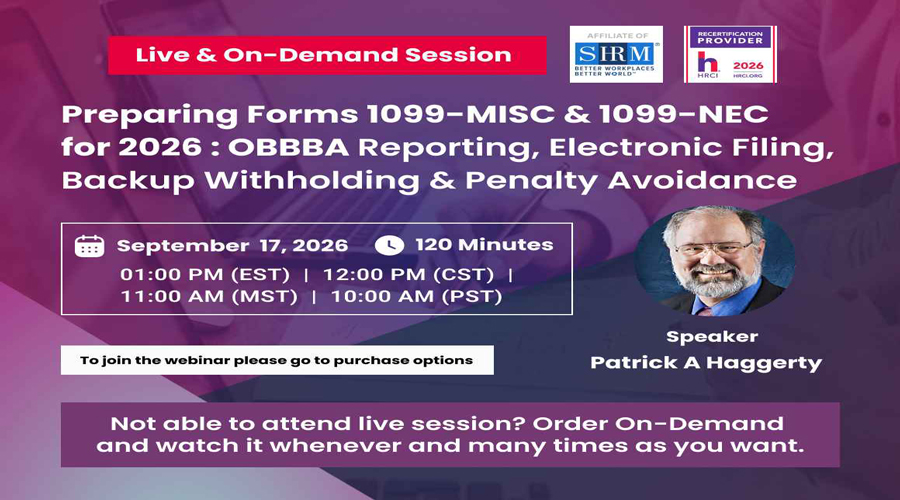
Preparing Forms 1099-MISC & 1099-NEC for 2026 : OBBBA Reporting, Electronic Filing, Backup Withholding & Penalty Avoidance
